
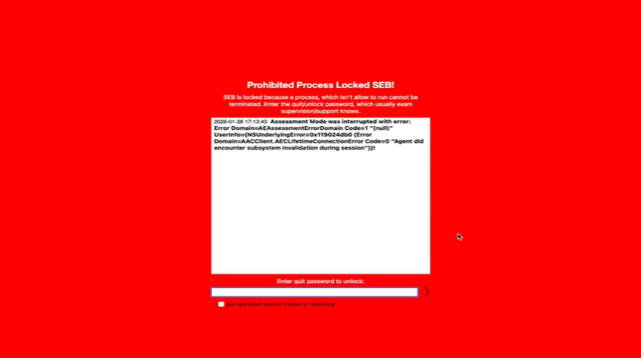
The "Prohibited Process Locked SEB" message on a red background appears because other applications are still running in the background, interfering with the operation of SEB (the exam lockdown component).
* Please note: On a Mac, closing an application window does not necessarily quit the program.
Quick Solution:
1. Exit the screen: If the screen is frozen, perform a "Hard Restart" by holding down the physical power button for about 10 seconds until the computer shuts down completely, then turn it back on.
2. Restart your computer: (Only if you didn't already perform a hard shutdown in step 1).
3. Before re-entering the exam (Critical):
Fully Quit All Apps: Look at your Dock (the bar of icons at the bottom). Ensure there are no small dots visible under any of the icons.
Go through every open program (WhatsApp, Spotify, browsers, etc.) and press Command + Q to quit them entirely.
Disable Distractions: Ensure Siri is turned off and enable Do Not Disturb mode.
* If a dot appears under an icon in the Dock, it means the application is still running. You must ensure it is completely closed.